

How multiple sales reps manage the same WhatsApp number without stepping on each other's toes: official options, how to assign each chat, and what happens to the chat history when someone leaves.
Written by Pablo Pascual, co-founder of Vixiees. Updated: November 2026.
Yes, multiple sales reps can manage the same WhatsApp number. WhatsApp allows this officially in two ways: by linking devices to the WhatsApp Business app or by connecting the number to the WhatsApp Business Platform through software. What WhatsApp doesn't decide for you is who responds to each conversation, nor where the history goes when a sales rep leaves. That is a matter of process, and that's what this article explains.
Key takeaways - The WhatsApp Business app supports up to four linked devices and one phone; with the multi-agent option, up to 10 devices and chat assignment. - For high volume, WhatsApp recommends its platform, directly or through a provider. - Sales reps step on each other's toes when there is no ownership rule per conversation, not due to a lack of devices. - If each sales rep uses their personal WhatsApp, the history and the customer leave with them.
Official options for sharing a number
There are three real-world scenarios, and each has a different ceiling. The data in the table comes from the official WhatsApp help center, reviewed in November 2026.
Option | How many people at once | Are chats assigned? | Best for |
|---|---|---|---|
WhatsApp Business app with linked devices | Up to 4 linked devices and one phone | No | Very small teams |
WhatsApp Business app with the multi-agent option | Up to 10 devices, depending on your Meta Verified or Meta One subscription | Yes, and you can see which agent sent each message | Small teams with some volume |
WhatsApp Business Platform (API) | Whatever the connected software allows | Decided by that software | Medium and large businesses |
According to the WhatsApp help center on linked devices, you can use up to four linked devices and one phone at the same time, and linked devices are disconnected if you don't use the primary phone for more than 14 days. The official page on the multi-agent option adds that with this feature, you can connect up to 10 devices, name each one, and assign chats; the maximum depends on your Meta Verified or Meta One subscription. The same page clarifies that the customer cannot see which agent responded to them or who their chat was assigned to.
For larger volumes, the WhatsApp help center on its business products states that the app is designed for small businesses on a single device, while the platform serves medium and large businesses to manage large volumes of conversations, directly or through a provider. On the platform, chat distribution among sales reps is not handled by WhatsApp: it is handled by the software you connect to the number.
The risk of each sales rep using their personal WhatsApp
Before sharing a number, it's common for each sales rep to handle customer inquiries from their own mobile phone. It works as long as the team is small and no one leaves. After that, three problems arise:
No one can review customer care. The conversations reside on a phone that does not belong to the company.
The history leaves with the sales rep. If they leave the company, they take the chat, the agreements, and the contact with them.
The customer continues messaging the old number. To them, the company is that specific person.
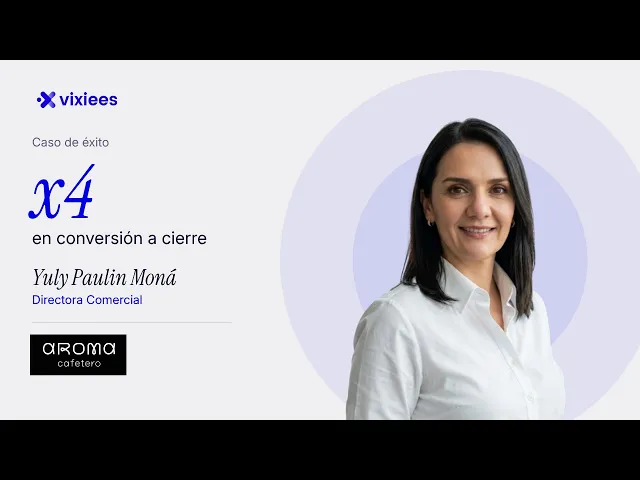
Aroma Cafetero is a Colombian company that sells coffee machines and supplies to businesses. According to their case study page, they had 20 advisors across two lines of business, and each managed their clients on their own WhatsApp and their own Excel sheet. Their sales director, Yuly Paulin Moná, sums it up like this:
"To find out how an advisor was assisting a client, I had to tell them: lend me your cell phone."
Watch it on video: Aroma Cafetero: multiplied its conversion by 4 | Vixiees success story
According to the same page, today 100% of their advisors' conversations are tracked in a single system, their conversion rate multiplied by 4 from a baseline they described as "very low," and the company grew by 18% annually with fewer leads. These are self-reported figures from the client: we have not independently verified them, and the case study does not provide the absolute starting numbers. What is valuable about this case is the fundamental shift: conversations went from belonging to each advisor to belonging to the company.
Why sales reps step on each other's toes on a shared number
Sharing a number fixes the personal mobile phone issue, but it opens up another one. If everyone can see all the chats, three scenarios happen:
Two sales reps respond to the same customer. Each one thinks the other hasn't seen it.
No one responds. Each one thinks someone else picked it up.
A returning customer ends up with someone else. The person who assisted them last week is completely unaware.
None of these are fixed with more devices, but rather with a written rule establishing who owns each conversation. It's the same logic we explain in duplicate leads among sales reps: one lead, one owner, and rules for when they re-engage.
Number-Owner-Record Method: 6 steps to share WhatsApp without stepping on each other
We call Number-Owner-Record (NOR) a three-part rule: the number belongs to the company, each conversation has an owner, and the history lives in the lead's record, not on a phone. It is implemented in six steps.
Put the number in the company's name. Use a corporate line, not a sales rep's SIM card. If everyone currently responds from their own mobile phone, announce the new number in email signatures, on the website, and in quotes before making the switch.
Write the assignment rule before launching the number. Decide who receives a new conversation: round-robin, by territory, by product, or by workload. Write it in a single line that the entire team understands.
Give each chat a visible owner. With the app's multi-agent option, this is assigned from the Chats tab, and each sales rep filters theirs using "Assigned to you." With the platform, the software handles it. The rule is the same: if it's not yours, you don't reply.
Hand off chats with a note. When a chat changes owner (vacation, territory change, departure), the new owner receives a two-line note: what the customer asked for and what was promised to them.
Save the history in the lead's record. The chat must remain linked to the contact, along with calls, emails, and the next action. If it only lives on a phone, step 4 relies entirely on memory.
Review three numbers every week. Unassigned chats, chats without a response within your designated timeframe, and clashes (two sales reps replying to the same customer). If any of these rise, your rule from step 2 has a loophole.
How each conversation is assigned
The rule from step 2 must cover the cases that generate the most clashes. This table is a starting point; adapt it to your team:
Situation | Recommended rule | Why |
|---|---|---|
A new customer writes for the first time | Distribution by round-robin, territory, or workload | Prevents the fastest rep from taking everything |
A customer who already has a sales rep writes again | Goes to their current owner | Prevents duplicates and contradictory answers |
The owner is on vacation or on leave | Temporary reassignment with a note | The customer doesn't have to wait for their return |
After-hours message | Automated reply and assignment upon opening | No one picks it up "just in case" late at night |
A sales rep leaves the company | Reassignment of their entire portfolio with a note | No customer is left without an owner |
We explore the case of absences in detail in what happens to leads when a sales rep goes on vacation.
What happens to the history if a sales rep leaves
It depends on where the conversations live:
Sales rep's personal WhatsApp. The history is theirs. The company has no practical way to recover it, and the customer can continue messaging them.
WhatsApp Business app with linked devices. The conversations belong to the company account. Simply log out of that person's device from the primary phone under Linked Devices, as indicated by the official help center.
Platform connected to software. The conversations remain in that software, attached to each contact, and are reassigned to another sales rep.
If you connect a number to the platform that you were already using in the app, Meta's developer documentation indicates that messages from the last 6 months can be synchronized, and that group chats do not sync.
One final detail when reassigning old customers. According to Meta's messaging documentation, when a user messages you, a 24-hour customer service window opens; once it closes, you can only send pre-approved message templates on the platform. If the new owner inherits a chat that has been inactive for days, their first message will have to be a template.
How Vixiees solves this
Vixiees does not replace your CRM. It connects to WhatsApp Business and whatever tools you already use, applying the NOR method without the sales rep having to remember anything:
Conversations live inside the contact's record. Messages are sent and received directly from the record, alongside calls, emails, and notes. When someone leaves, the conversations and the history remain with the company.
Every incoming message has an owner. A new WhatsApp message creates the contact, assigns it according to the rules set by the company (round-robin, territory, product, or workload), and generates a task for the responsible sales rep.
There is always a next action. Next Task determines what the next touchpoint is for each lead and places it right in front of the sales rep. If a lead receives no attention, it goes back into the queue, is reassigned to another rep, or alerts the manager.
The sequence is the same as in how to implement a CRM in a company: process first, tool second.
Common mistakes when sharing a number
Passing around a physical mobile phone. A phone that passes from hand to hand leaves no trace of who responded to what.
Failing to log out when someone leaves. A linked device belonging to a former sales rep will continue to see chats until you disconnect it.
Only measuring response time. A team can reply quickly and still step on each other's toes. Measure unassigned chats and clashes as well.
Conclusion
Managing WhatsApp with multiple sales reps on the same number is entirely possible. The limitation isn't the number of devices, but rather who responds and where the history is stored. Register the number under the company's name, assign an owner to each chat, and store the conversation in the lead's record. If you want to see how this would look for your team, leave us your details in our form, and we'll review your process with you, no strings attached.
When multiple sales reps step on each other's toes on WhatsApp, it is almost never a channel problem. It is that it has not been decided who owns each conversation. Before choosing a tool, it is worth answering where a customer's history would remain if their rep were to leave tomorrow. If the answer is "on their mobile phone," the risk belongs to the company. The practical approach: a company number, one owner per chat, and the conversation in the lead's profile, right next to the next task.
Frequently Asked Questions
Can WhatsApp Business be used on multiple devices at the same time?
Yes. According to official WhatsApp support, you can use up to four linked devices and one phone at the same time. With the multi-agent option, linked to Meta Verified or Meta One, you can reach up to 10 devices.
How many sales reps can use the same WhatsApp number?
In the app, as many as your account's devices allow: five accesses without the multi-agent option and up to 10 devices with it. On the WhatsApp Business Platform, the limit is set by the software you connect to the number.
How do you assign a chat to a sales rep in WhatsApp Business?
With the multi-agent option: in the Chats tab, tap and hold the chat, tap Assign chat, select the agent, and save. Each sales rep sees their own with the "Assigned to you" filter. Without that option, the app does not assign chats.
Does the customer see which sales rep is responding to them?
No. WhatsApp indicates that the customer does not see which agent sent the message, which device was used, or who the chat was assigned to. If you want them to know, the sales rep must introduce themselves by name.
What happens to conversations if a sales rep leaves the company?
If they were using their personal WhatsApp, the conversations leave with them. If they were using the company number, they stay: log out of their linked device and reassign their chats with a handover note.
Do I need the WhatsApp API to have multiple sales reps?
Not always. For a small team, the app may be enough. If you have high volume or want automatic distribution and history linked to your CRM, WhatsApp guides medium and large companies toward its platform, either directly or through a provider.
Sources
WhatsApp, Help Center, "About linked devices on the WhatsApp Business app" (accessed on 11/10/2026): faq.whatsapp.com.
WhatsApp, Help Center, "About using multiple agents" (accessed on 11/10/2026): faq.whatsapp.com.
WhatsApp, Help Center, "About WhatsApp Business products" (accessed on 11/10/2026): faq.whatsapp.com.
Meta for Developers, WhatsApp Business Platform, "Onboarding WhatsApp Business app users" (accessed on 11/10/2026): developers.facebook.com.
Meta for Developers, WhatsApp Business Platform, "Send messages" (accessed on 11/10/2026): developers.facebook.com.
Aroma Cafetero Case Study, figures self-reported by the client: vixiees.com/customers/aroma-cafetero and YouTube video.